Bookmark and Share
Showing posts with label Wierd computer stuff. Show all posts

Monday, June 9, 2008

How to play flash videos (flv) in Keynote

I was about to do my "Linux Basics" presentation when I saw that none of my videos were playing. I just got sound and a black screen in Keynote. I knew they worked because I had done this presentation before. I remembered that I have switched to Leopard since then so of course I immediately played the blame game. Then I thought about it again and remembered that Keynote will only play what Quicktime can play. Of course Quicktime wouldn't play the flv and gave no help for a codec. I decided to try Perian which I hadn't installed because there was no 10.5 version. Well-- it worked. I tried it on a second virgin machine just to verify and sure enough it worked fine. Hope this helps some other lost soul lol.

~J

Wednesday, January 2, 2008

Wednesday, August 15, 2007

Setting up an imaging/drive cloning server

I work in a lab with over thirty computers. Students and Faculty both use these computer heavily. To say the least they get very junked up. I decided to implement a new way to reload the system instead of each one from scratch or buy manually connecting drives to use an old version of Norton Ghost. With a little bit of searching I came upon a program named G4U which stands for Ghost for Unix with no relation to Norton Ghost. G4U is a Unix-based (or G4L which is Ghost for Linux-based) app that will clone drives to a FTP server. Sweet!! It Seemed easy. I had a Mac with OSX. I turned on the FTP server from system preferences, and I downloaded and burn the G4U ISO created the "install" user account with admin privileges. I booted off the burned CD and --errors!! Many funky errors. With some research I found that the FTP server built into OS X is a stripped down version of the original Darwin client. I ended up having to use another ftp server that is also built-in but I configured it through an open-source GUI name Pure-FTPd Manager. 5 minutes. No lie, 5 minutes and I had it up and running but there was one trick. You have to create an "install" user in the Pure-FTPd Manager. (I also want to thrown in there that if you don't use the default folder for saving the images...you will need to change what ever folder you want to use to read+write in the Virtual folders tab) So lets go through the steps:
  1. Download and burn the G4U ISO
  2. Download and install Pure-FTPd Manager
  3. Create a virtual user named "install"
  4. Find the computer's local ip address from the network icon in system prefrences. (Even though it is listed in the status screen of Pure-FTPd that is the public address which may not always work depending on your firewall)
  5. Boot the computer from the G4U CD you burned.
  6. To create/upload an image type
     uploaddisk ipaddress filename.gz
    1. To restore from an image type
       slurpdisk ipaddress filename.gz 
  7. Restart the computer
I hope this helps!!


Wednesday, August 1, 2007

How to hide files in an image


I just thought this was very cool. Once again that DOS command from the command line is:
copy /b image.jpg + archive.zip newimagename.jpg

Friday, July 20, 2007

How to install a LaserWriter 630 Pro in Vista

Ok so an old LaserWriter 630 Pro was surplussed out here at work and I decided to pick it up, because I know the things are like tanks. Well that and the fact that I know how to work on the Canon/HP/Apple printer engine without a problem. Anyway lol, I reloaded 32-bit Vista Premium, because Ubuntu/Wine was pissing me off with World of WarCraft, and Guild Wars. I said all that to say this, the Apple Drivers are not included in the Vista install. They are in XP but not in Vista so what the hell. I did some searching on the inter-webs (lol) with out luck so I figured screw it I will use the XP drivers, and damn if it didn't work. Here is how I did it.

  1. Insert XP OS CD, and cancel out of any of the autoplay crap. (Note: In my case I used Disc 1 of my XP Media Center Edition)
  2. Goto Windows logo button (Old Start) -->Control Panel --> Printers
  3. Click "Add Printer"
  4. Select "Local Port" and click "Next"(Note: Only select Network if you are printer sharing to another computer with a LaserWriter)
  5. "LPT 1" and click "Next" (Note:If you are using some type of Print Server you may either need to create a Standard TCP/IP port or select the proprietary port for your printer server.)
  6. In the driver window select "Have Disk"
  7. Click "Browse"
  8. Under "Look In" select your CD-Rom with the Windows CD in it and choose the "i386" folder and click "OK"
  9. After a second of loading, the XP drivers should be listed in which you can select "Apple", and which ever LaserWriter you have.
  10. Finish the "Add Printer Wizard", and boom-bam you have your LaserWriter again!!
I think the Windows 2000 Pro CD will also work the same way, because the driver didn't change between the 2K and XP but I did not test that.

Wednesday, June 27, 2007

iPhone Contest

So I am rolling up to VA listening to Mac Break Weekly. I knew it was going to be all about the iPhone that I can't have for a while when I hear Scott Bourne drop a plug for his Apple Phone Show web site (www.applephoneshow.com). He let out the news that he was going to attempt to purchase 12 iPhones on release day for testing, breakdown and (drum roll please) a conest. Holy mother of Steve Jobs I was all over it. A chance for my broke asphalt to get a free iPhone. Now I could tell you what I have to do to participate in the contest, but quite honestly I don't want you to do it, becasue I want that phone lol. So Scott, please for the love of all things holy please give me that phone. I tell ya what, I will give you my three (3) Commodore 64's , one (1) Commadore 128, a TRS 80, and a TI-99A with the rare peripheral upgrade back pack for one of those phones. I mean come on man I am desperate. I have no problems providing photos to prove I am serious. Please man, help a desperate geek out!!!

With Love
Jeaime

Wednesday, June 20, 2007

The Booty Cooler by Thanko

I'm a big boy with a big booty. Let me tell you that after a 6 hour WoW fest my booty gets toasty. All my needs have been answered with the new USB powered Thanko butt cooling chair. Yes sir that's right the Booty cooler has truly allowed me to veg out as long as I have a constant supply of Coke Cola and Hot Pockets lol.

Thursday, June 7, 2007

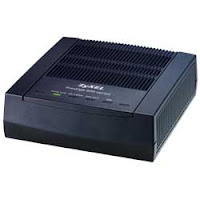
How to make an Embarq 660R (ZyXel ADSL Modem) and a router (Linksys, D-Link, Netgear, Belkin) forward ports

Ok I'm gonna get right to the point here. In case you didn't know the Embarq 660R is both a router and a firewall. Router to router equals hell on port forwarding. I also want to say if this does effect you just leave it alone. The Embarq and the router will co-exist for the most part but you will have a slight network slow down. I found this issue when I was trying to open up a port for XLink Kai to link Xbox's and stumbled upon why it wasn't working right after I purchased a new router (I also bricked my old one but that isn't important lol). I must also say though this worked for me I can't accept any responsibility for what happens to you but I will be glad to help as much as I can.

What we are going to be doing is setting the router to just be a wireless access point/hub and letting the Embarq do the DHCP address assigning and routing. (Note: There is another way to do this by turning the Embarq into a bridge and then setting up your router for PPoe connection but then you have to call Emarq to get all your username information in order to sign in which I didn't feel like doing at 1:00 in the morning).


Step 1: You need to log into the web interface of the router. to do that you need to type in the IP address of your router into your Web Browser (IE, Mozilla, Netscape, Opera, etc...)
(Note: If you do not know the User Name and password of your router you are gonna need to either reset your router or give that company a call. The generic login was "admin" as the username with no password for my D-Link and Linksys default username is "administrator" and the password is "admin")

To get the IP address :

(Vista)-
1. Window Button
2.Type "CMD" in the Instant Search
3. Press Enter
4. Type "ipconfig"
5. Press Enter
6. The Gateway Address is the address of the router normally

(NT/2K/XP) -
1. Start
2. Run
3. Type "CMD"
4. Press Enter
5. Type "ipconfig"
6. Press Enter
7. The Gateway Address is the address of the router normally.

(NT/2K/XP) -
1. Start
2. Run
3. Type "Winipcfg"
4. The Gateway Address is the address of the router normally.

(Mac OSX)-
1. Open System Preferences
2. Click "Network"
3. Select your network type (Airport or Ethernet)
4. Click "TCP/IP" button
5. Router Address

(Linux/UNIX)-
1. Open a terminal window
2. Type "ifconfig -a"
3. Press Enter
4. If I remember correctly the "Bcast" should be the router IP

Step 2: Once you log in you need to view the IP address of the Embarq router your wireless router is connecting to or in other words, the WAN settings.

(Note: In the case of the D-Link and Linksys I just went to the "Status" tab and the WAN IP address was listed including the server. It should be 192.168.2.1 or at least it was for me.)

Step 3: Set your router to be an assess point. (In my case for a D-Link WBR 2310 I simply logged in and a check box was on the home screen)

Step 4: Restart your computer and make sure you can still see the internet. (If you already know how to renew your DHCP address you can simply do that but I didn't know how for all the OS's so I gave you the easiest) (Note: If your computer has a static or hard set IP address you will need to change it to a DHCP. Most computers should already be set to DHCP unless you have a network admin in which case he/she should be doing this anyway. Hopefully you already know how to do this but if not just take a look at the support forums for which ever OS you have.)

Step 5: Find your computer's new IP address using the procedure from Step 1. (You will need this address to know where to forward the port or ports to.)

Step 6: Log in to the Embarq modem by typing in the address in to your browser that you got from your router.
(Note: The initial password should already be typed in so just press enter again to log in. The next screen has you assign a password of your choosing.)

I want to warn you that in my case I had to log in over and over again. If after any selection you make you get a login window, it didn't hold the setting. Just warning you!!

Step 7: On the main ZyXel screen select NAT.

Step 8: Type in the port forwarding information and make sure to type in the correct IP address of the computer you want to forward to and click "Save Settings". (Once again if the login window comes up it DID NOT ACCEPT YOUR CHANGES!!! and you must do it again.)

Step 9: Test that app or device out!!

I owe Linksys an apology. Well--not completely.

After my tiraid yesterday morning I went home and set up my poppin fresh D-Link BRW-2310. When I got my DHCP address I saw it was a 192.168.2.x IP. I know this doesn't mean anything to most people but as a tech that seemed like a weird subnet to assign. Then again I though this was my first D-Link so that must be how they do it. I then went to open up the Web Interface and saw "ZyXel" as the brand name. Once again this should be a D-Link but what ever. Turned on the NAT to forward to my IP address and boo-bam I could connect just fine to Dirks XLink Kai server. Sweetness. My XBOX 360 connects through WIFi along with my Wii. I needed to get the both up but for some freaky reason the GUI had no wireless setting so I figured it should work fine. WRONG. The D-Link comes with this funky third party software called "Network Magic"(that is such a 90's software name) that is supposed to let you configure the router. It couldn't find the freggin router. What the hell?? After about 30mins of fiddling I figured I'd give D-Link a call. The lady and I tried all kinds of crap for about 45mins when she finally said "lets unplug your DSL modem." That shouldn't have an effect but what ever. Unplugged the modem, reset the router and boom I got a 192.168.0.x subnet. I went to the web interface and it was D-Link. To lay it all out what happened is the Embarq 660R (ZyXel 660r ADSL) modem is also a router and firewall. Sure would have been helpful for Embarq to send some documentation that said that.

So I said all that to say this. The problem was in the Embarq modem all along. I'm gonna post after this one how I actually had to get everything running, but I did wanna say ummm, well, I'm sorry Linksys. Don't get me wrong you have given my hell before but this time it wasn't your fault. Friends?? lol (Send me some free swag Linksys guys lol)

Wednesday, June 6, 2007

I bricked my router

Last night I decided to hook up with Dirk and Lance to play a little Halo 2 on through this program named XLink Kai. Setup seemed easy enough. Downloaded installed found Dirks server. And as I tried to connect it booted me because the connection could not be established. No biggie probably just need to open up the port. Didn't help. Oh maybe it is the Windows Firewall so I turned that off--no luck. Maybe my PC is just screwed so I will try it on my Mac. Same deal. Keep in mind this is not the first time I have had such an issue with my Linksys - - so I decided to update the firmware from Linksys. No dice. So at this point I have nothing to loose. I decided to try a third party firmware I had found online. It supposedly opens up the router to act like a $600 router. Sweet should solve all my problems. I told Lance and Dirk "I'll see you on the other side" and did the update. Well--time of death 11:30pm lol . I have purchased a new D-Link WBR 2310 to take its place because in all honesty I have kind of lost faith in Linksys. I use to love the company especially because they were an off shoot of Cisco. I have lost faith to the point that I am returning the brand new 16-port Linksys switch I just bought Monday, selling my Linksys Cable modem, and re-quoting a networking job I have.

I just cant deal with crap like that anymore. It isn't the old days of make it work anymore. network gear is relatively cheap so companies can't rest on their names and hope for consumers to follow suit. Screw you Linksys and thanks for the numerous link drops, lock-ups, programs blocks, and lots of restless nights of sleep!

BTW
In case I start getting any of those comments about saving my router. I already know I can, but if you are looking for a resource here ya go: http://www.dd-wrt.com/wiki/index.php/Recover_from_a_Bad_Flash I'm just done with my router ,and though I am probably going to bring it back from the dead, I am only going to use it as a network extender.

Wednesday, April 25, 2007

XBOX 360 Laptop

I saw this on Engadget and I just had to say something about it. Ok, there is an obvious question of why but you must put that thought behind you to be in awe of the craftsmanship and ingenuity that has gone into it. Hats off to ya buddy and a hardy hand clap. It makes me want to post my Carputer info for the world to see.

Here is a link to go view all his schematics and work.

http://www.engadget.com/2007/04/18/how-to-make-an-xbox-360-laptop-part-1/

Monday, April 16, 2007

Patent app hints at iPhone controlling Mac, iTunes


Okay, so we've heard using an Apple Remote whilst trying to fool no one into believing it's an iPhone, but apparently, the patent pumpers in Cupertino are getting serious about executing that equation in reverse. According to a recent filing, Apple engineers explain how a mysterious "mobile phone" could be used to control your Mac (and specific applications like iTunes) via built-in Bluetooth, and the wording even mentions specific software that would be tailored to the Mac and handset in order to make it all happen. More specifically, consumers could "use the directional controls on the mobile phone to change listing volume, skip forward and backward, play / pause, etc.," and while no mention of the forthcoming iPhone is directly made, the allusion here is fairly clear.

Referenced from: Engadget
Posted Apr 15th 2007 7:17PM by Darren Murph
Filed under: Cellphones, Home Entertainment

Thursday, April 12, 2007

PC Pitiful

Sing Weird Al lol.

Mac Beautiful

Ok I have finally been tested on my resolve to to tell anyone who asks me to buy a Mac. My wife's aunt called and asked what I recommended in a Laptop and I immediately told her buy a Mac. But I hesitate to say that she told me about this to good to be true deal she gets through her husbands job and I folded. Dang it Apple and Brother Steve,, drop the prices man!!! It is hard enough to convince people to adjust to a new interface with out having to explain the price. Please Brother Steve, give us a $800 12" iBook!!